

Less chasing. More delivering. Happier clients.
Projectista brings clients, projects, Google Calendar, meetings, files, updates, and invoices into one calm workspace—so your team always knows what is happening and your clients do too.
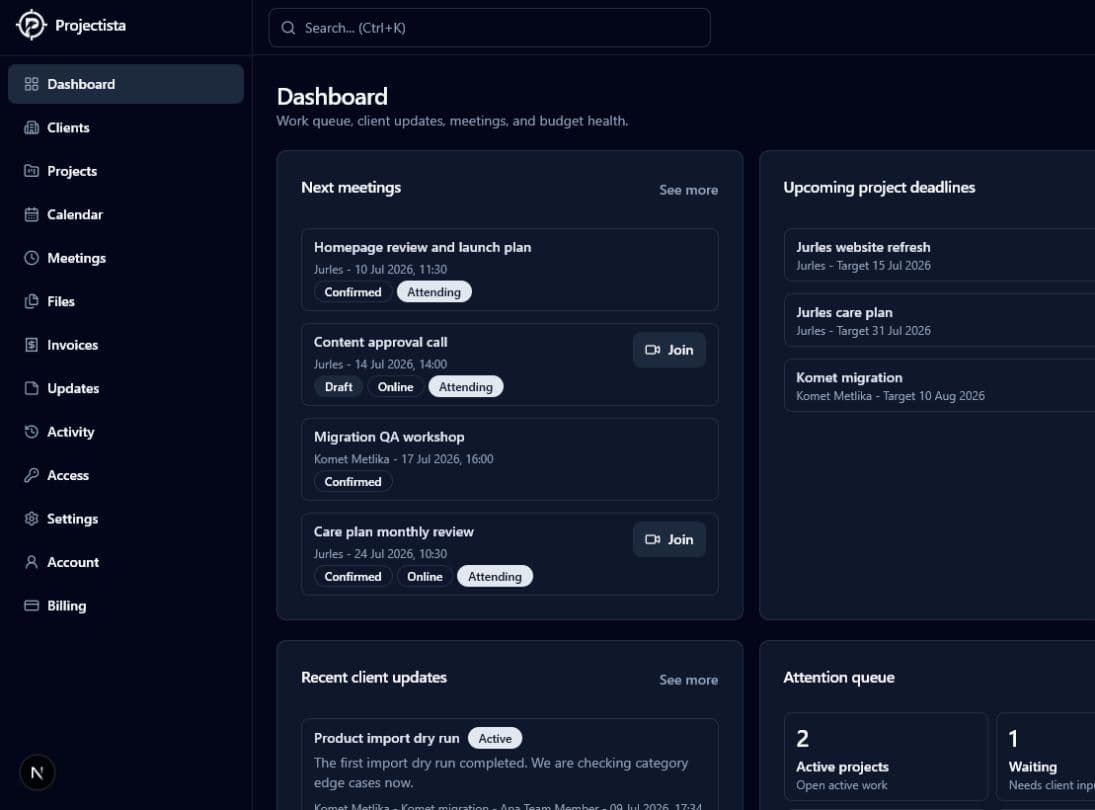
See your week click into place
Not a list of features. A walkthrough of the work.
Watch Projectista move from a busy client book to scheduled work, shared files, issued invoices, and a clean client portal. Pick any chapter or let the whole tour play.
Active work, deadlines, meetings, and client activity surface together—before anything gets missed.
Your calendar should understand your projects.
Connect Google Calendar to see personal events beside project starts, project targets, and Projectista meetings. Create a provider-hosted meeting and Projectista can add the event, invite attendees, and include a Google Meet link.
Microsoft Outlook and Teams connections are supported too—and there is more coming.
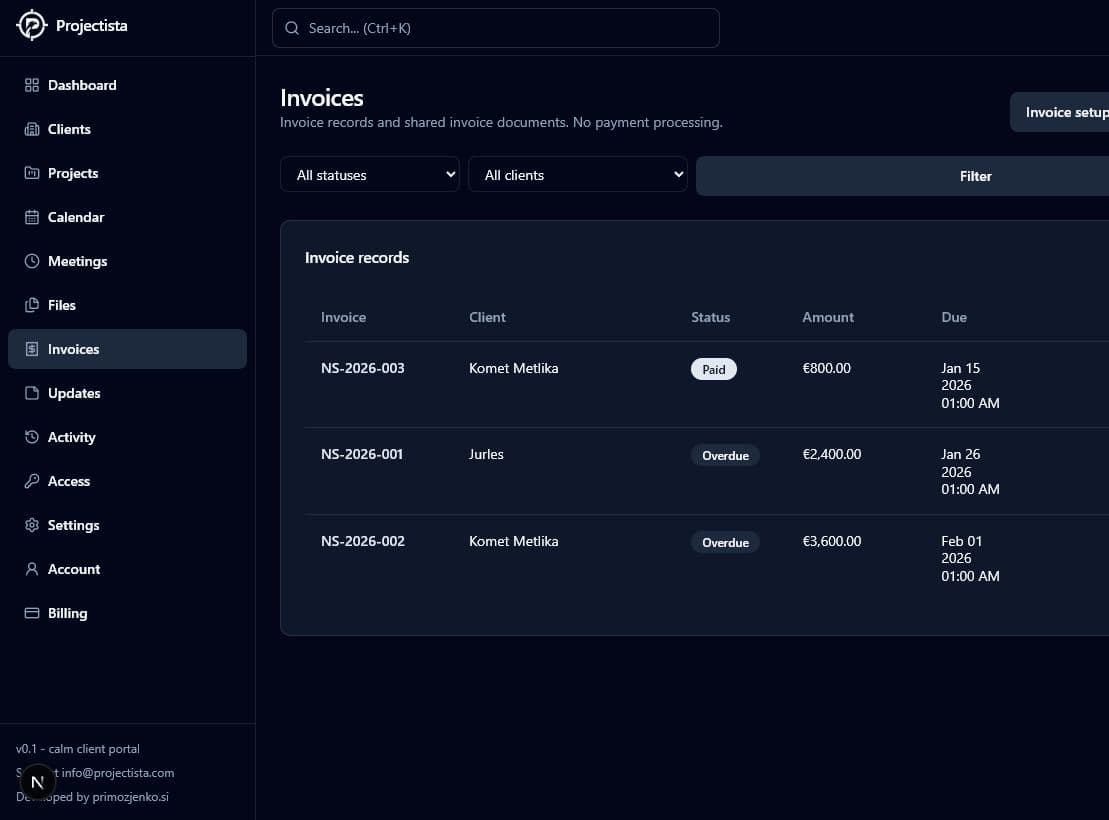
Invoices without the context switch
Finish the work. Build the invoice. Keep moving.
The invoice lives beside the client and project that earned it. Add line items and tax, issue a polished PDF, send it to the invoice contact, and keep paid, sent, and overdue work visible to your team.
Issuer details, numbering, tax, totals, payment text, and logo.
Attach billing to the work, files, and client it belongs to.
Use the client invoice contact and keep delivery details recorded.
Draft, sent, paid, overdue, and void states stay readable.

Build the team around the work—not the other way around.
Create a separate workspace for each business, brand, or operating team. Invite agency members and clients, choose who can administer the space, and switch between teams without mixing their work.
Start a distinct workspace with its own clients, projects, branding, and activity.
Bring in agency members as admins or team members and clients as portal users.
Manage client permissions for files, updates, editing, and inviting colleagues.
Move between teams and still see where unread messages or fresh updates are waiting.
It tells you what is next—then helps you get it done.
Connect Projectista to ChatGPT and other MCP-compatible assistants. Get reply recommendations, deadline warnings, meeting prep, and one clear next move. Then create the project, invite the team, or schedule the Google Meet from the same conversation.
Create projects from the topic you are already discussing and assign the right people.
Spot overdue invoices and prepare the right follow-up before cash flow slips.
Know when meetings are near and schedule confirmed Google Meet calls in context.
Real actions, explicit confirmation, and the same role permissions as the app.
Reply to Primož first. He asked whether the new Komet theme can launch Friday. I drafted a clear answer below; your Komet review starts in 2 hours.
The connected workspace
Everything your client work needs. None of the scavenger hunt.
Every client in context
Contacts, active projects, invoice counts, and portal access stay connected to the company they belong to.
A real project room
Give every engagement one home for dates, updates, requests, files, meetings, invoices, and collaborators.
Calendar that understands work
View project starts, target dates, Projectista meetings, and personal provider events together.
Invoices beside delivery
Create line items, issue PDFs, send invoices, and track status without detaching billing from the project.
Client-safe by design
Choose what clients can see while internal notes, internal files, and team activity remain private.
A portal that looks like you
Present the work in a calm, branded space instead of another chaotic collection of links and email threads.
Private work stays private.
Your team gets the operating view. Each client gets the polished, appropriate view.
Start where you are
Try the whole workflow with real work.
Free includes your first 10 clients and 10 projects. Upgrade when Projectista earns a permanent place in your day.
Set up a real workspace and prove the workflow with real client work.
For teams ready to make Projectista the home of their client operations.
For larger teams, migrations, special workflows, or commercial questions.
Your next calm workday starts here
Make client work feel lighter.
Bring one client and one project. See how quickly the rest of your workflow starts making sense.